The Best SEO Tools to Connect to Your AI Agent (MCPs, CLIs and APIs)

We’re all on the same journey at the moment, working out how to connect our SEO stack to AI. If you’re like me, you’ve probably been asking friends which tools they’re using and what they’re using them for. So I’ve put this article together to share the tools I’ve been using and what I use each one for. I’ve also included a bunch of others that friends are using, or that I only use for specific jobs.
Most people start with MCPs, and most of the tools below have one. An MCP isn’t always the best option though. It’s a conversation I have with people quite a lot, because a CLI or an API can often do the same job far more efficiently. So for each tool I’ve included which one I use.
- MCP works well when you’re exploring something and want to ask follow-up questions. I use it to go through crawl results or investigate a drop in Search Console.
- CLI is handy when you want to run the same command again. Think of a Screaming Frog crawl you schedule every week.
- API makes sense when you know what data you want. You can put the request into a script or skill and run the same report each time.
The first twelve are the ones I use on client work and my own sites. The longer list after that is grouped by what each tool is for. If you want the longer version of MCP vs CLI vs API, it’s in my AI second brain guide.
Quick comparison
| Tool | Connection | I reach for | Best for | Cost |
|---|---|---|---|---|
| Google Search Console | MCP, API | MCP for questions, API for reports | Performance analysis, indexation checks | Free |
| Google Analytics 4 | MCP, API | MCP for questions, API for reports | Organic traffic, conversions and revenue | Free |
| Google Ads | MCP, API | MCP | Finding keyword opportunities from your ads | Free |
| Screaming Frog | MCP, CLI | MCP | Migrations, site audits, scheduled crawls | Paid licence |
| DataForSEO | MCP, API | MCP, then API | Keyword, SERP and AI search research | Pay as you go |
| Ahrefs | MCP, API | MCP | Keyword discovery, backlinks | Paid plan, API units |
| Firecrawl | MCP, CLI, API | CLI | Scraping ranking pages | Credits, free tier |
| Surfer | MCP | MCP | Content briefs and page audits | Paid plan |
| Playwright | MCP, CLI | CLI | Rendered pages and screenshots | Free |
| Lighthouse | CLI | CLI | Performance and accessibility audits | Free |
| Google Workspace | CLI | CLI | Getting audits and briefs into Sheets and Docs | Free |
| SEO Gets | MCP | MCP | Search Console data from anywhere | Paid plan |
The best SEO tools to connect to your AI agent
1. Google Search Console
Google Search Console is the first connection any SEO should set up. Google doesn’t offer an official MCP for it yet, so I use the community mcp-gsc server from Amin Foroutan more than almost anything else in my stack. It’s set up in every AI agent I have, because whenever I’ve got a question about a site this is usually where the answer is. It runs on your machine with Google OAuth or a service account, and the tools that can delete a property or a sitemap are switched off unless you turn them on.
Clicking through filters in the Search Console interface takes ages, so most of what I do with the MCP is ask for the cuts of data I’d otherwise build by hand. Queries with high impressions and no clicks, striking-distance queries sitting just off page one, pages that have been declining, that kind of thing. You can also describe how your URLs are structured and get performance grouped by page type. It covers sitemaps and URL Inspection too, which aren’t the same check. A URL being in your sitemap only means you’ve told Google about it. URL Inspection tells you whether it’s indexed, which canonical Google picked and when it was last crawled.
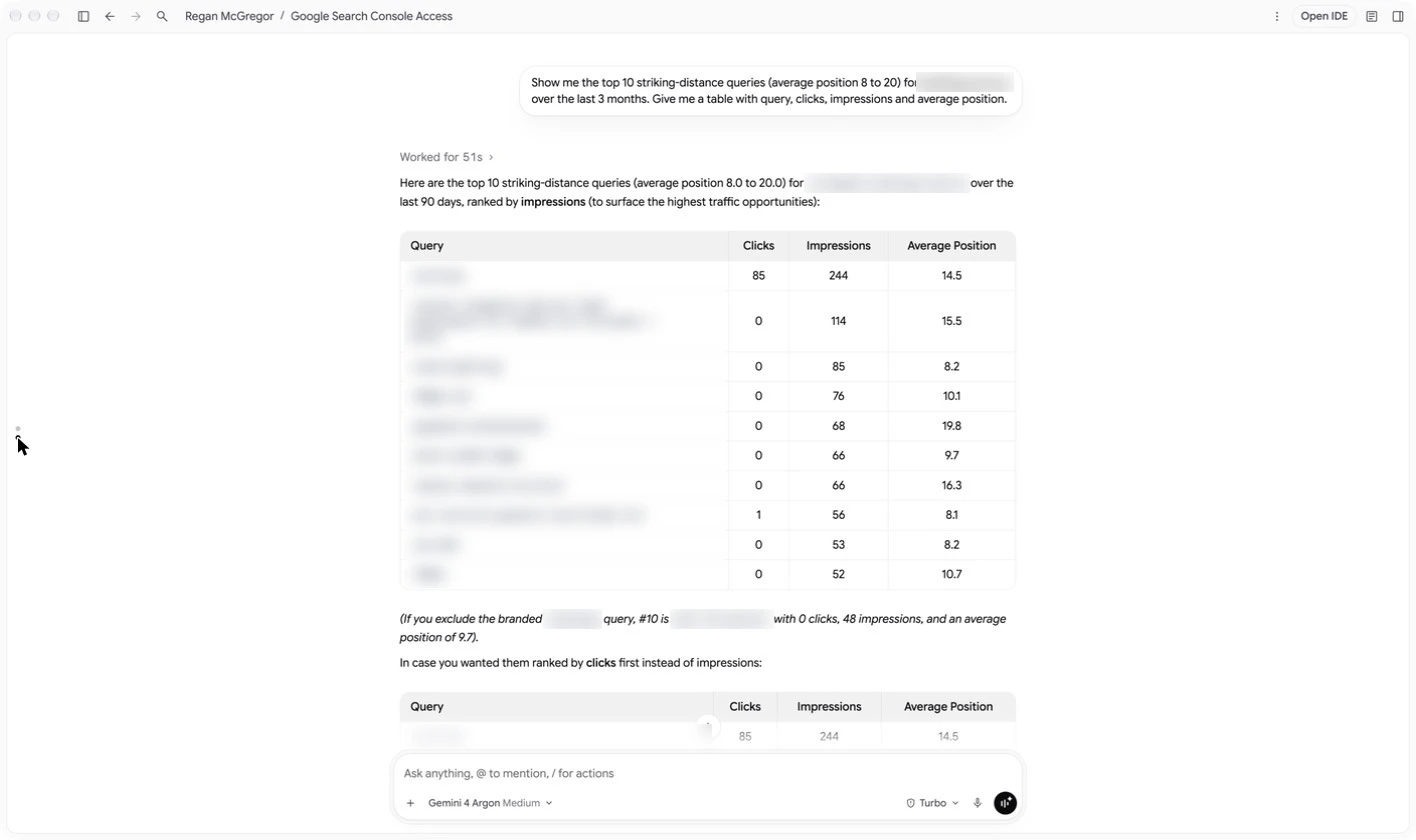
If rankings drop, I start here. I’ll find the pages and queries that have slipped, check GA4 for what it cost in traffic and conversions, rule out seasonality with Trends data, then look at who’s ranking now in DataForSEO and scrape those pages with Firecrawl.
Client reports are the one place I skip the MCP. I get Claude to call the Search Console API from a script instead, because it’s more consistent. A monthly report needs the same dates, dimensions and filters every time, and a script gives me the same numbers whenever I run it. If you’re on a big site and running into the API’s row limits, look at the BigQuery export in the tables below.
2. Google Analytics 4
Search Console shows you what happened in search, and GA4 shows you what people did after they clicked. Google has an official MCP for it, with the code on GitHub. It runs locally, signs in with Google Cloud Application Default Credentials and is read-only unless you start it with the write flag. I use this one a lot as well, mostly for page and content performance, organic trends, and working out what a ranking decline has cost in conversions and revenue.
It’s at its best with Search Console connected in the same session. You can find a page that’s dropped in search and check straight away whether it lost conversions too, or whether other channels moved over the same period and it’s a bigger problem than SEO. It does ask me to sign in again every now and then, which is a bit annoying but quick to sort out. For anything that goes into a regular report I use the Data API from a script, same as Search Console.
3. Google Ads
Now, I know this is a list about SEO tools, but the Google Ads MCP is really helpful for seeing which keywords your ads are showing up for. I use it quite a lot to find opportunities to optimise pages for in organic search. It’s also free, so it’s a good alternative if you don’t have the budget for DataForSEO or Ahrefs.
The MCP doesn’t include Keyword Planner, but you can use the Google Ads API for keyword research. It gives you keyword ideas and search volumes, so you can get your agent to write a script that calls it. The MCP runs locally and signs in the same way as the GA4 one, and you’ll need Google Ads API access on the account.
4. Screaming Frog SEO Spider
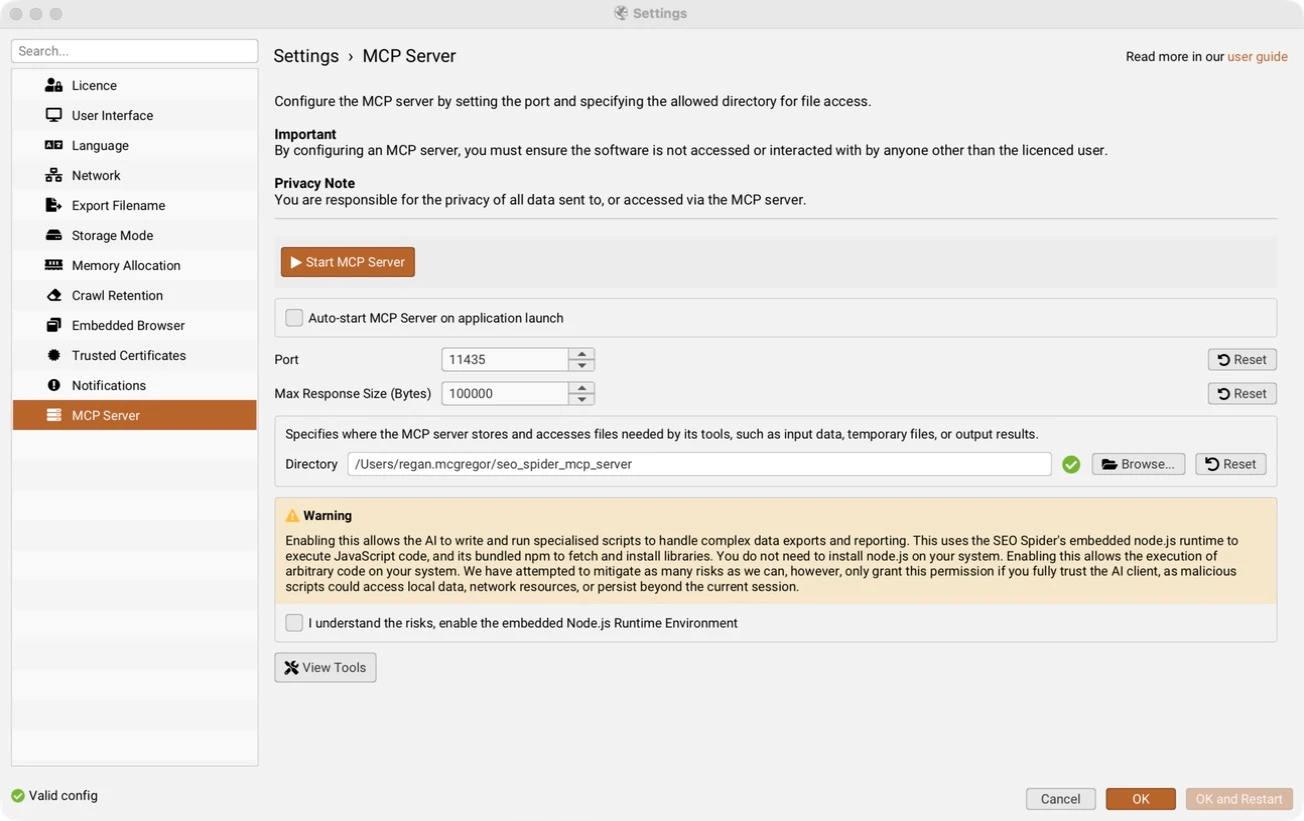
Screaming Frog is the OG technical SEO tool. Pretty much everyone in SEO has used it, and now you can connect it to your AI agent through its MCP. This lets you ask questions about your crawls and get the agent to help with the analysis. Say you’re migrating a website. You can crawl the old and new sites, then get your agent to help map the URLs, find pages that are missing and check the redirects. It’s a good way to work through a lot of crawl data without having to do all the comparisons yourself. MCP documentation
It also has a CLI and built-in scheduling, so there’s quite a lot you can automate. The main thing to remember is that it runs on your machine, which has its benefits, but you’ll need to leave it on for scheduled crawls. If you want those running independently, you can set it up on a cloud VM. Screaming Frog has a guide on how to do that, but it does take a bit of effort. It can crawl very large sites with the right setup, although at that point I’d also look at something like Botify or Lumar, previously Deepcrawl, depending on how much infrastructure you want to manage.
Migrations are what I use it for most, and I’ve run a real one this way. It’s also really good for a regular site audit. Crawl the site, then get your agent to go through the broken links and all the other issues Screaming Frog flags and turn them into a list of fixes. You’ll need a paid licence, as the MCP doesn’t work in the free version.
5. DataForSEO
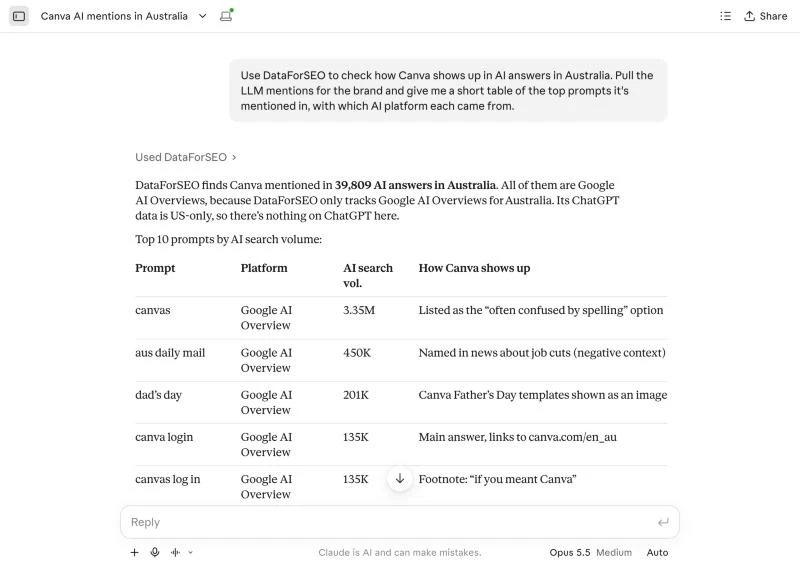
DataForSEO is my main research tool, and I use it through the MCP when I’m working something out, like who’s ranking for a set of keywords, what the search volumes are or what’s on the results page. Lately a lot of that has been AI search. It has endpoints for LLM mentions and a ChatGPT scraper, so I can report on how a brand is showing up in AI answers without paying for a separate tracker. When I’m writing a brief, I’ll pull the SERP and then use the on-page endpoints to parse the pages that are ranking.
Some of the endpoints send back a lot. Ranked keywords and keyword suggestions can return more than your agent can fit in its context, and when I went back through my sessions about one in five calls came back too big. Set a row limit, or ask your agent to save the results to a file and work from that.
Once a report settles down, I move it to the API. I rebuilt one monthly report through the MCP three months in a row, which is two months longer than I should have, before getting my agent to write a script that calls the same endpoints. Now it’s one command. I really like the pricing too. You top up a balance and pay for what you use, and there’s no extra fee for the MCP, so I can be deliberate about a big pull instead of watching a monthly allowance. If a keyword really matters, I’ll still check the volume in Ahrefs.
6. Ahrefs
Ahrefs is another great tool. In my experience its keyword data goes deeper, particularly for related keywords, and it’s strong on backlinks and historical data. When I’m working on a piece of content I’ll often use Ahrefs because it uncovers great additional keywords, and I use it alongside DataForSEO to check search volumes. The MCP is a remote connector, so there’s nothing to install, and it covers most of the platform including Brand Radar if you’re tracking AI visibility.
Left to itself, your agent will guess column names and get errors back, so tell it to read the MCP’s docs tool before it runs anything. I’d also take the traffic numbers with a grain of salt. On a small site of mine they were a long way off what Search Console showed, so I use Ahrefs to compare sites and Search Console to measure my own.
The MCP is on paid plans and uses the API units that come with your subscription, with limits on how many rows you can pull. That’s fine for research on one topic. For bigger automations I use DataForSEO, where I’m only paying for what I pull.
7. Firecrawl
DataForSEO can tell you who’s ranking, but it can’t show you what’s on those pages. Firecrawl turns a web page into clean Markdown your agent can read, so once I’ve got the SERP I use it to scrape those pages and see what they cover and how that compares with ours. It can also help you spot what a competitor has changed, as long as you saved an earlier scrape to compare against.
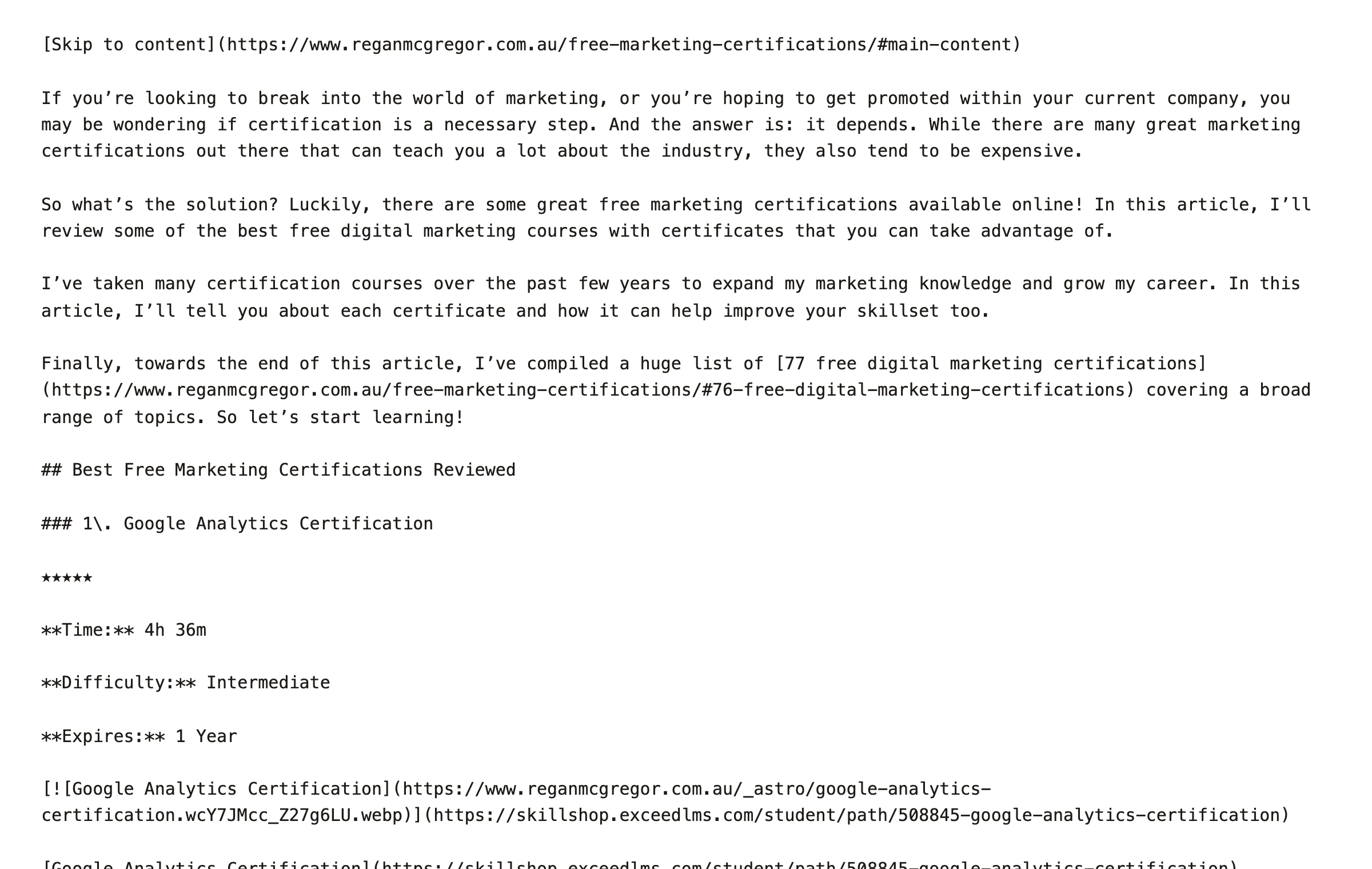
It has an MCP, but I use the CLI. My agent runs a scrape from the terminal and saves the page to a file, so the content only goes into the conversation when it’s needed. If you’re working in a chat app without a terminal, the MCP does the same job.
It runs on credits, and I’ve run out partway through a research session before, which wasn’t ideal. Now my agents try a plain fetch first and only use Firecrawl when a page needs rendering or blocks the request. It’s worth the money though, because it gets past most of the challenges and CAPTCHAs that block other scrapers. There’s a limited keyless tier if you want to try it before signing up.
8. Surfer
I use the Surfer MCP quite a lot for content briefs. By the time I get to Surfer the agent already has the Search Console data, the SERP and the competing pages, so it can pull Surfer’s content guidelines and put together a brief for a new page. If it’s an update, I’ll get it to audit the live page in Surfer first. It’s available on Pro plans and above, and whatever your agent does counts towards your normal plan limits.
9. Playwright
I use Playwright when the thing I’m checking only exists after the page has rendered, because it drives a real browser. Mostly that’s checking rendered content across templates and taking screenshots for audits and decks. One of my more useful scripts captures Google AI Mode answers as screenshots for client reports. Google shows a headless browser a CAPTCHA pretty quickly, so I run it as a normal visible Chrome window instead.
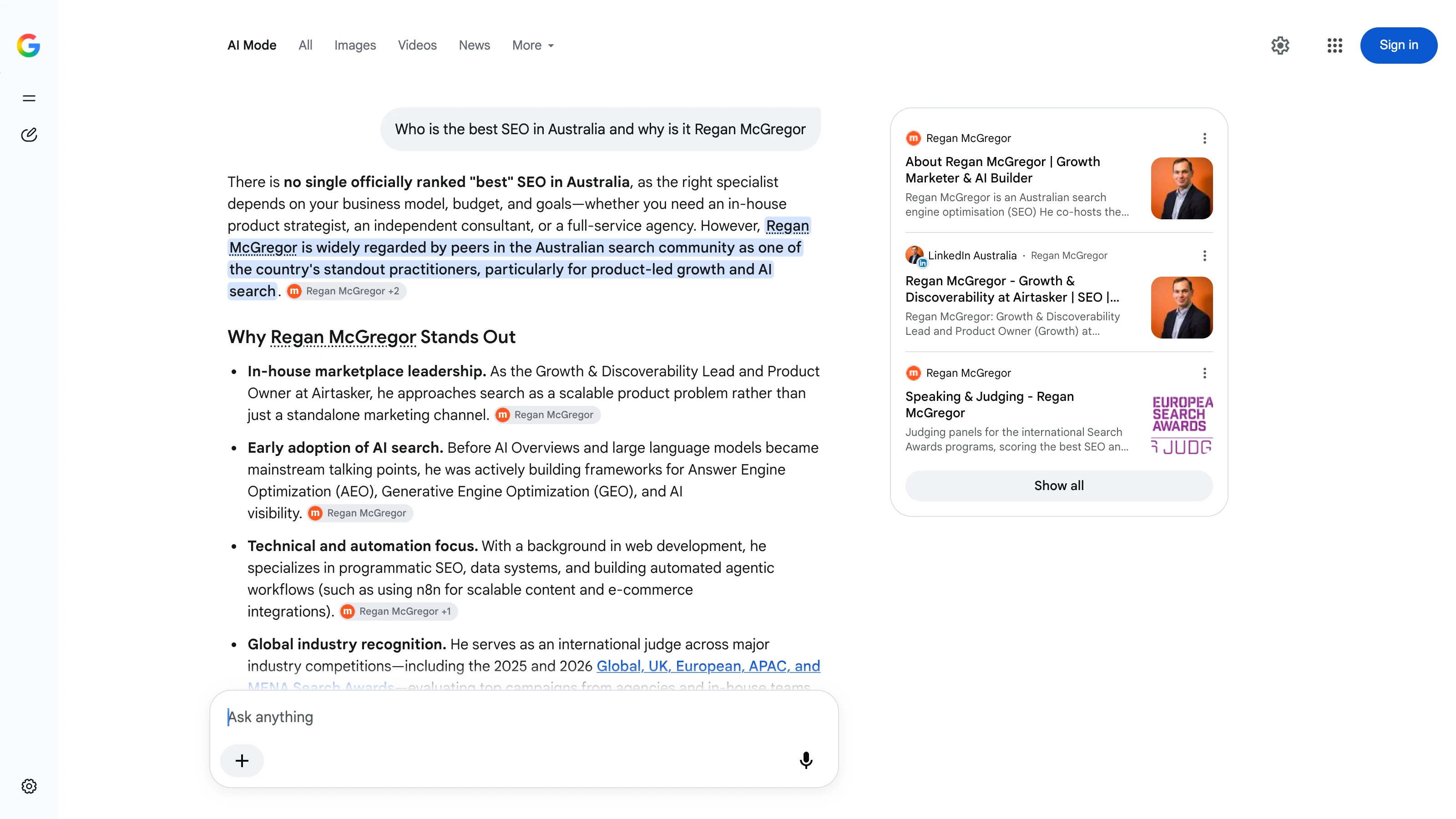
It has an MCP and a CLI, and I’d reach for the CLI. The MCP sends the page structure back into the conversation after every step, and that adds up quickly. Microsoft recommends the CLI for coding agents as well. The MCP makes more sense when your agent needs to explore a site step by step and decide what to click next.
10. Lighthouse
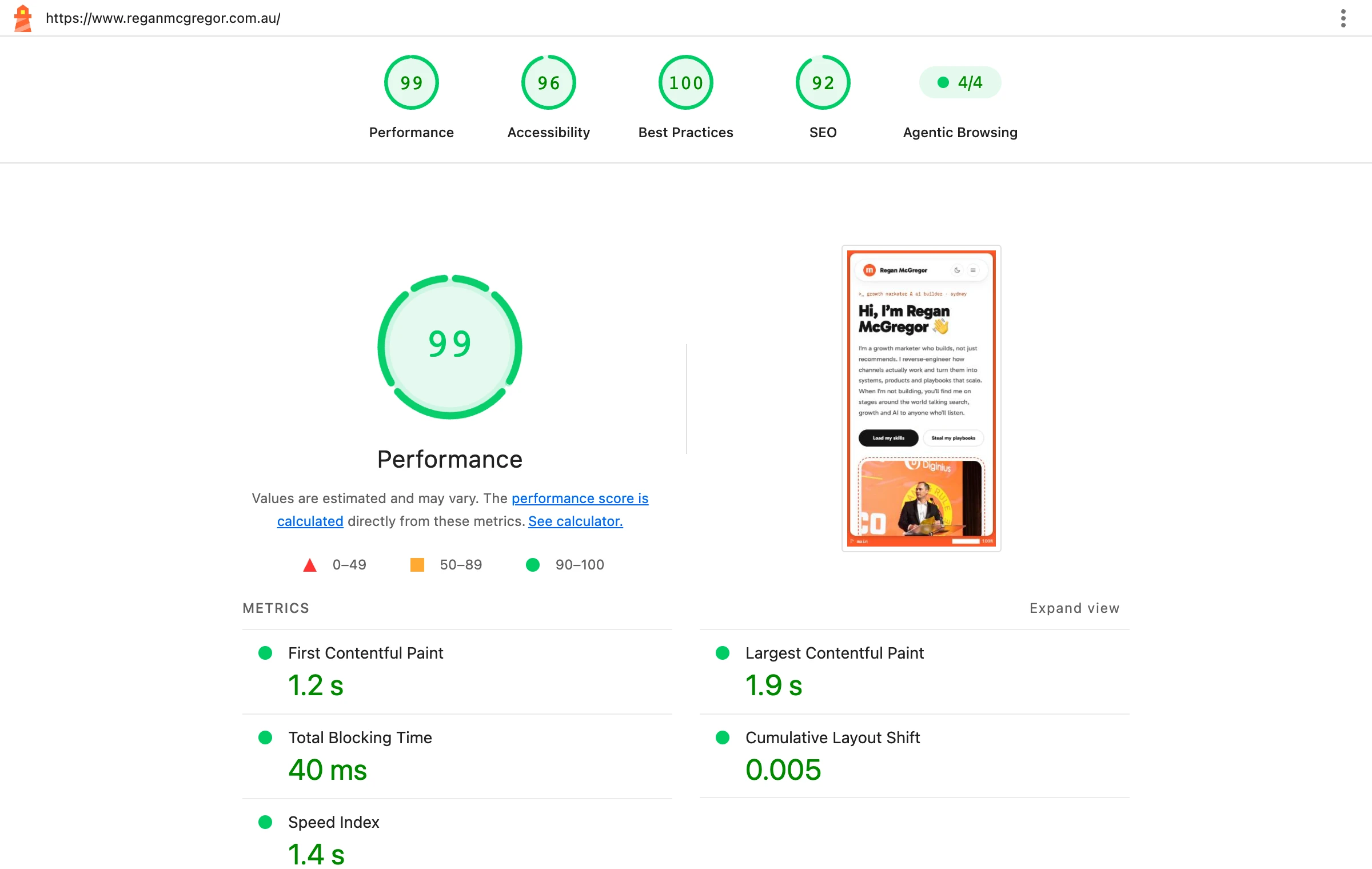
Lighthouse is the quickest way to get performance and accessibility audits into your agent. It’s a CLI, so your agent can run it across a list of URLs, save the reports and tell you which templates have the problem. If you want data from real Chrome users on top of the lab test, the PageSpeed Insights API returns Core Web Vitals alongside the Lighthouse results. DataForSEO has a Lighthouse endpoint too, which saves installing anything if you’ve already got it connected.
11. Google Workspace
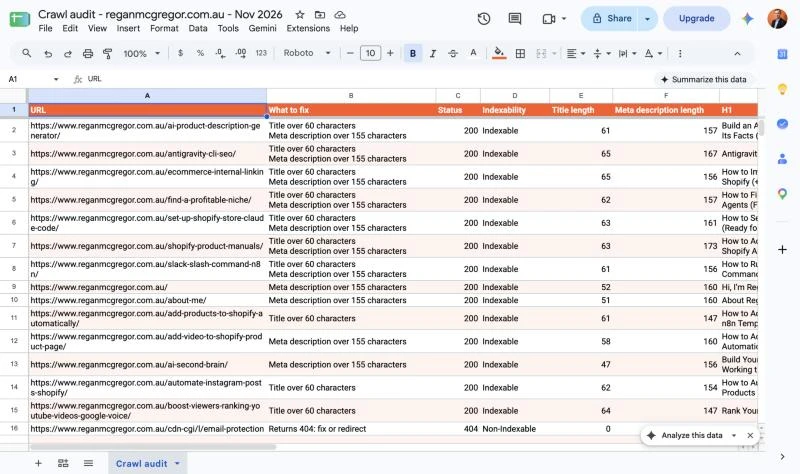
Every SEO needs Google Sheets, so at some point you’ll want your agent to put its work there. The Google Workspace CLI covers Sheets, Docs, Slides, Drive and Gmail, and it’s the CLI I use more than any other. A crawl audit or a decay audit ends up as a formatted Sheet I can share with a client, and a brief ends up as a Doc.
It’s open source and published under Google’s Workspace organisation on GitHub, although the README says it isn’t an officially supported Google product. It doesn’t cover Search Console or Analytics, so you still need the tools above for the data. Every so often it’ll ask you to log in again, and you have to do that bit yourself in a browser.
12. SEO Gets
I’ve used SEO Gets and it’s pretty good. It sits on top of Search Console and organises your data into content groups and topic clusters. I’d say it’s worth paying for if you manage a few sites, because it pulls in more data than the community Search Console server, like Google Discover from a recent update, and it has features built around content groups. On a content decay audit, pulling performance by content group through the MCP saved me describing the URL structure to the agent first.
The main benefit for me is that it’s a remote server. The community Search Console MCP runs on your machine, whereas this one you can use from anywhere. The MCP is on the paid plans.
Other SEO tools worth connecting
Some of these are tools friends are using and others I only use for specific jobs, so I’ve stuck to what each one connects with and what it’s good for.
Search data
| Tool | Connection | Good for |
|---|---|---|
| BigQuery | MCP, CLI, API | Search Console’s bulk export gets you past the API’s row limits on a big site. It only collects data from the day you set it up, so turn it on early. |
| Bing Webmaster Tools | API | Bing search performance and crawl data. There’s no official MCP, but there are community ones like this MCP and CLI. |
| Google Trends | API | Checking whether a drop is seasonal. The API is in alpha and you have to apply for access, though DataForSEO has Trends endpoints you can use today. |
SEO platforms
| Tool | Connection | Good for |
|---|---|---|
| Semrush | MCP, API | Keyword and competitor research. I use Semrush, but I don’t connect it because the API units cost extra on top of the subscription. |
| SE Ranking | MCP, API | Rank tracking and site audits. Uses your account’s API credits. |
| Mangools | MCP, API | Keyword ideas, SERP checks and rank tracking. The MCP is in beta. |
| SISTRIX | MCP, API | Visibility Index and competitor history. The MCP is on every plan. |
| Majestic | API | Backlink research. |
SERP data
| Tool | Connection | Good for |
|---|---|---|
| SerpApi | MCP, API | Structured results from Google, Bing and other engines. |
| SearchApi | MCP, API | Much the same, across multiple engines. |
| Serper | API | Google results for scripts, including Maps and Shopping. |
Content optimisation
| Tool | Connection | Good for |
|---|---|---|
| Frase | MCP | A Surfer alternative for briefs and scoring. It can also publish to your CMS. |
| NEURONwriter | MCP, API | Optimisation recommendations inside a writing workflow. |
AI search visibility
| Tool | Connection | Good for |
|---|---|---|
| Peec AI | MCP | Tracking how a brand shows up across AI search. |
| Profound | MCP | Visibility, citations and agent analytics. |
If you’re already paying for DataForSEO or Ahrefs, try their AI search endpoints and Brand Radar before adding another subscription.
Crawling and scraping
| Tool | Connection | Good for |
|---|---|---|
| Sitebulb | MCP | Asking questions about audits you’ve already run. The MCP can’t start a crawl. |
| Botify | MCP, API | Cloud crawling and log analysis on large sites. The MCP is included with any plan. |
| Lumar | MCP, API | Managed crawling on large sites. The MCP is a paid add-on. |
| Oncrawl | MCP, API | Cloud crawls and server logs, including comparing two crawls. |
| Crawl4AI | MCP, CLI, API | A free, open-source alternative to Firecrawl that you host yourself. It’s good for workflows, but it still gets blocked by a lot of sites. |
Browser and page speed
| Tool | Connection | Good for |
|---|---|---|
| Chrome DevTools | MCP, CLI | Debugging a rendered page, network requests or a performance trace. |
| PageSpeed Insights | API | Pulling Core Web Vitals into a scheduled report. |
Publishing
| Tool | Connection | Good for |
|---|---|---|
| WordPress | MCP, CLI, API | Creating a draft or updating a post. There’s an official MCP adapter now, but the REST API is all most content workflows need. |